
⚠️ Who is this article for? This guide is for end users (employees or survey participants) who log in to EngageRocket using an email address and password. If your organisation uses Microsoft or SAML SSO, your password is managed by your company's IT team, please contact them directly to reset your credentials. Not sure which login method you use? See this guide.
If you have forgotten your EngageRocket password or your activation link has expired, you can reset it yourself in just a few steps directly from the login page, no need to contact support.
Resetting Your Password
- Go to the EngageRocket login page.
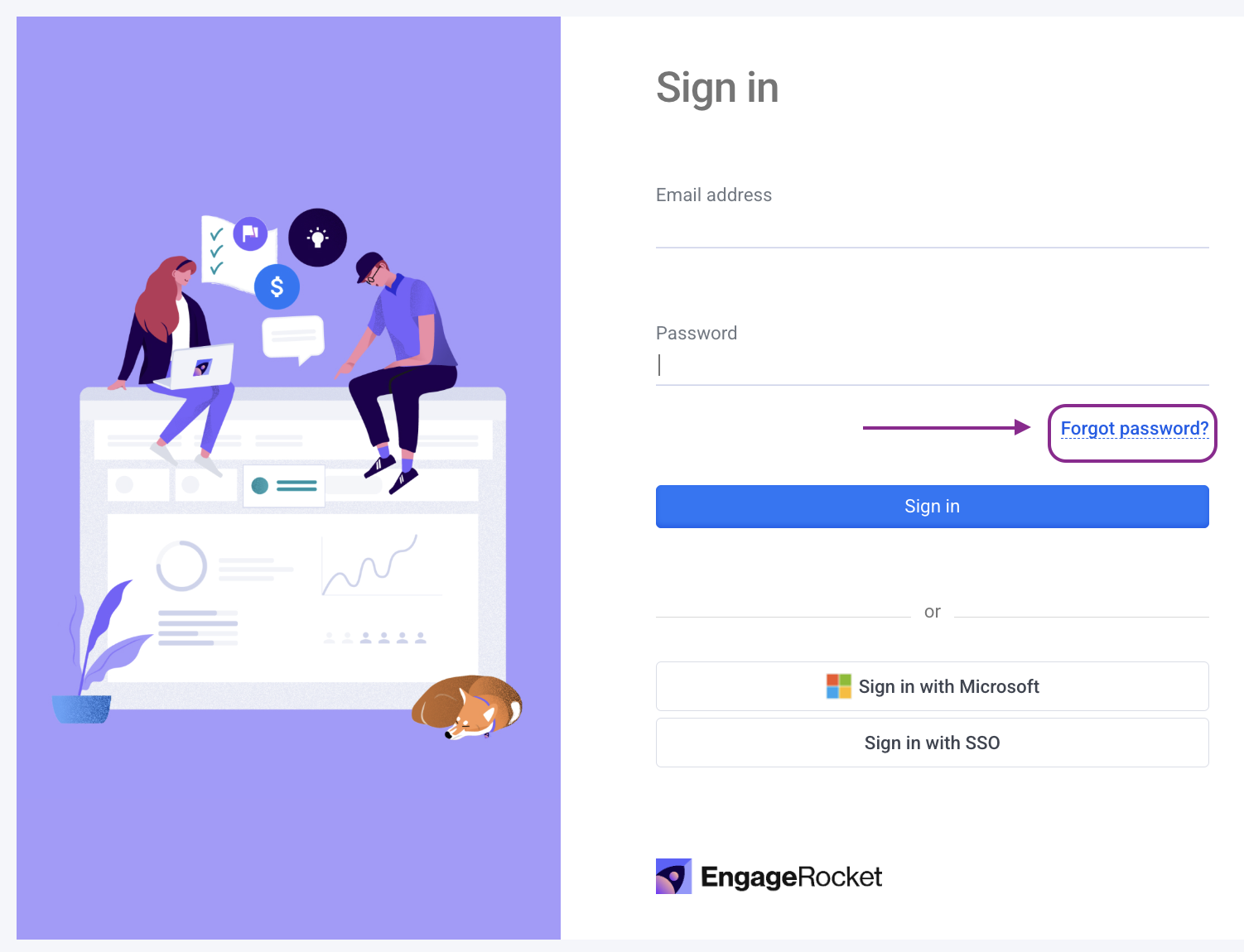
- Click 'Forgot password?' below the Sign In button.
- Enter the email address associated with your EngageRocket account and click 'Send reset link'.
- Check your inbox for a password reset email from EngageRocket. If you do not see it within a few minutes, check your spam or junk folder.
- Open the email and click the reset link. Act promptly — reset links expire after 60 minutes.
- At least 8 characters
- At least one uppercase letter
- At least one lowercase letter
- At least one number
- At least one special character (e.g. !, @, #, $)Enter a new password that meets all of the following requirements:
- Re-enter your new password to confirm it, then click 'Save changes'.
- You will be redirected to the login page. Log in with your new password to confirm everything is working.
💡 Tip: If your activation link (from your original EngageRocket invite email) has expired, follow the same steps above to set a new password.
Something Not Working?
I did not receive the reset email.
- Likely cause: The email may have been filtered, or the wrong email address was entered.
- Action: Check your spam or junk folder. Make sure you entered the correct email addres, it must match the address your admin used when inviting you to EngageRocket.
The reset link says it has expired.
- Likely cause: Password reset links expire after 60 minutes.
- Action: Go back to the EngageRocket login page, click 'Forgot password?' again, and request a new link.
My new password is not being accepted.
- Likely cause: The password does not meet all the required criteria.
- Action: Make sure your password has at least 8 characters, with at least one uppercase letter, one lowercase letter, one number, and one special character.
I reset my password but still cannot log in.
- Likely cause: Extra spaces in the email or password field, or a browser autofill issue.
- Action: Make sure there are no extra spaces before or after your email address or password. Try typing manually instead of using autofill. If the issue continues, contact our support team.
Still Need Help?
If you are still unable to reset your password after following these steps, reach out to us at support@engagerocket.co and we'll be happy to assist!