
At EngageRocket, we know uninterrupted access matters, especially when you’re managing people insights and engagement data. If your login activation has expired or you’ve forgotten your password, don’t worry. We’ve designed a secure, straightforward process to help you get back on track quickly.
Here’s how it works.
Step 1: Start from the Login Page
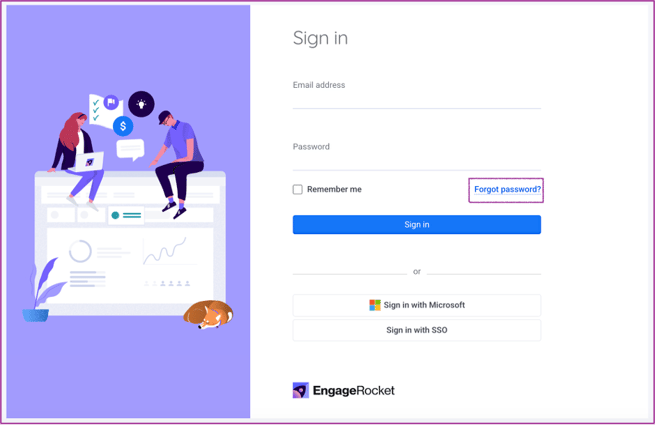
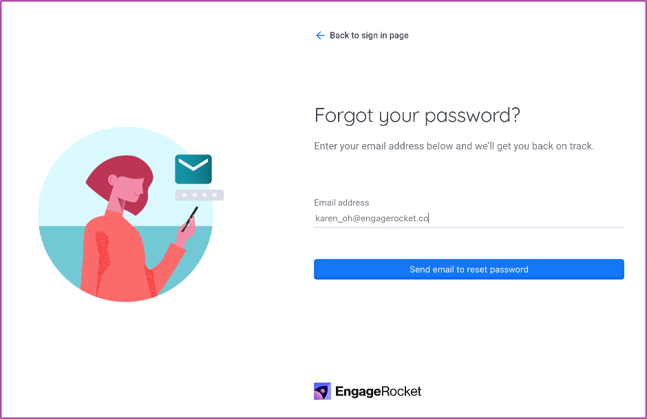
Head to the EngageRocket login page and select “Forgot Password.” Enter the email address associated with your account, then click “Send email to reset password.” This triggers an automated reset email to your inbox.
Step 2: Check Your Email
Once the email arrives, click the “Reset your password” button inside. For added flexibility, you can also access the reset link directly or scan the QR code provided in the email.
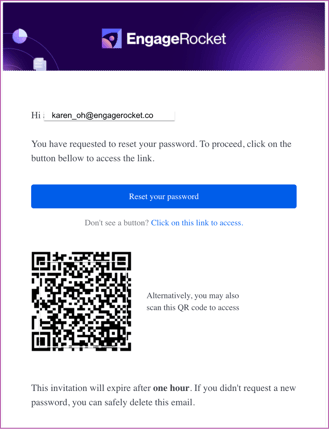
For security reasons, this reset link expires after one hour, helping ensure your account remains protected.
Step 3: Create Your New Password
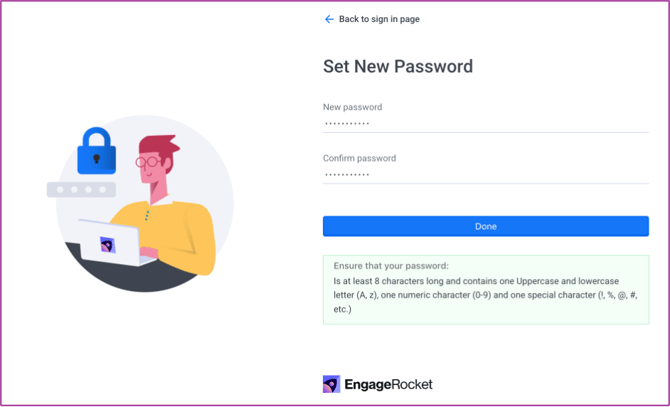
You’ll be guided to a page where you can set a new password. Simply follow the on-screen criteria (including minimum length, upper- and lowercase letters, numbers, and special characters).
Once your password meets the required criteria, click Done to complete the process.
That’s it, you’re ready to sign back in!
If you have any questions or need further assistance, feel free to reach out to us at support@engagerocket.co We're here to help!